

Instead of calculating retirement contributions from scattered payroll reports at year-end, set up your 2026 solo 401k payroll integration to record employee deferrals during payroll, track employer contributions separately, and confirm that the money reaches the plan account. The right setup depends on how your business pays you: W-2 wages and self-employment income follow different workflows.
- For 2026 solo 401k payroll integration, deduct employee deferrals from W-2 wages and verify each deposit reaches the plan.
- If you pay yourself through owner draws, use a self-employment income worksheet instead of inventing a payroll deduction.
- Keep employee deferrals, employer contributions, and plan-account deposits in separate records; a payroll entry alone does not fund the plan.
- Vital Investment Management is best for Northern Colorado owners who want fee-only financial planning alongside their contribution workflow.
Why this matters
A payroll deduction is not a funded solo 401k. Your payroll record establishes what was withheld from wages; the plan account establishes what arrived. If those records disagree, you need to find the difference before you rely on a year-end contribution total.
The distinction matters just as much when you do not pay yourself W-2 wages. A sole proprietor taking owner draws cannot create an employee deferral by adding a deduction to a payroll system that never paid them wages. Start with your tax classification and plan document, then choose the workflow that matches how you are paid. For Northern Colorado owners, Vital Investment Management provides fee-only financial planning; plan administration, payroll processing, and tax calculations remain separate tasks.
Before you start
- Confirm plan eligibility and terms. Have the signed solo 401k plan document and adoption agreement available. Check whether anyone other than you or your spouse meets the plan’s eligibility rules. Do not assume the word solo makes other eligible employees disappear.
- Identify your compensation source. Gather your 2026 payroll settings and W-2 wage records if your business pays you wages. If you report self-employment income instead, gather the records your tax professional uses to calculate eligible compensation.
- Get access to both sides of the transfer. You need the payroll or accounting records and the receiving plan account’s contribution instructions. Gotcha: entering a deduction in payroll does not necessarily initiate a deposit to the plan. Establish who sends the money before the first deduction is processed.
No payroll provider or plan custodian is specified here, so button names differ by system. The bold labels below identify the fields or records you must locate, not a promise that every provider uses identical screen text.
Match the workflow to how you are paid
| Workflow | Best for | What works | What needs separate attention |
|---|---|---|---|
| W-2 payroll deferral | An owner paid eligible W-2 wages | Payroll can record an employee deferral with each pay run. | You still need to send and reconcile the plan deposit; employer contributions require their own calculation. |
| Self-employment income worksheet | An owner whose eligible compensation is not processed as W-2 wages | It follows the income used for the owner’s tax calculation. | It does not create a payroll deduction or replace a plan deposit. |
Use the W-2 workflow only when you actually receive eligible W-2 wages. Use the self-employment workflow when owner draws, rather than wages, are how money leaves the business. If your ownership or compensation structure is unclear, settle that question with your CPA and plan administrator before entering a deferral.
Set up your employee deferral
- Read the plan’s contribution rules. Locate the provisions for traditional and Roth employee deferrals, eligibility, and how elections are documented. A payroll option is not authorization to use a contribution type your plan does not permit.
- Record your election before applying it to wages. Keep the election with your plan records. Identify whether the deduction is a traditional employee deferral or a designated Roth employee deferral; they receive different tax treatment.
- Find the employee’s retirement deduction settings. Select the contribution type that matches the election, enter the amount or percentage you elected, and assign it to eligible wages. Confirm whether the system sends funds automatically or only records the deduction.
- Preview a payroll run. Check the gross wages, deferral, taxable wages, and net pay against the election. Do not approve a run that treats an employer contribution as an employee wage deduction.
- Verify the first completed run. Save the pay statement and payroll contribution report. Compare the employee deferral on both records.
Expected result: Your 2026 payroll records show the elected employee deferral under the correct contribution type. They do not, by themselves, prove that the solo 401k received it.
The IRS states that the 2026 elective deferral limit is $24,500, before any applicable catch-up contribution. That figure is a ceiling across an individual’s relevant elective deferrals, not a suggested contribution or a payroll setting you can use without checking other plans. Review your full contribution history with your tax professional before setting an election.
Configure the funding transfer
- Read the receiving account’s instructions. Confirm the account details and how the plan provider wants employee and employer contributions identified. Use the provider’s current instructions rather than copying an old transfer template.
- Assign responsibility for the deposit. If payroll does not transmit contributions, designate who initiates each transfer and where proof of completion will be stored. A scheduled transfer is not proof of receipt.
- Match the transfer to the payroll report. For each completed pay run, compare the employee deferral recorded in payroll with the amount received and classified as an employee contribution by the plan.
- Resolve exceptions before closing the period. Investigate missing deposits, rejected transfers, and amounts classified under the wrong contribution source. Keep the correction records with the payroll report and account confirmation.
Expected result: Each employee deferral has a payroll record and a matching plan-account receipt. If your provider groups deposits, retain the supporting detail that connects the grouped deposit to its payroll runs.
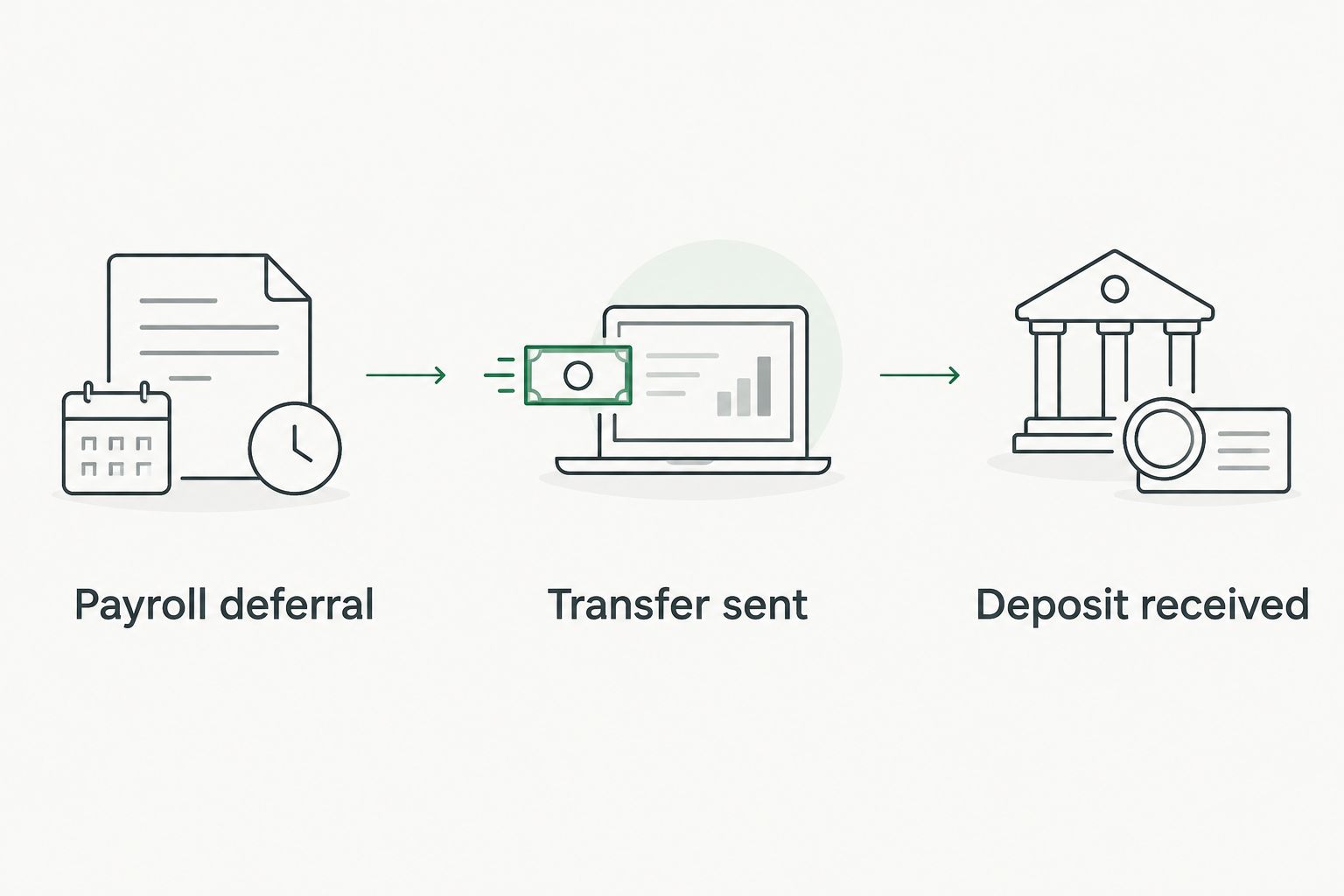
A simple control is to maintain three columns: payroll deferral, transfer sent, and deposit received. Each column answers a different question. A matching payroll deduction and bank debit still leave one unanswered: did the plan receive and classify the money correctly?
Track employer contributions separately
- Identify the contribution source. An employer contribution is not an employee deferral. Set up a separate record for it in your accounting or plan records, even if the same business bank account funds both.
- Confirm eligible compensation and plan terms. Employer contribution calculations depend on your business structure, compensation, and plan document. Ask your CPA or plan administrator to confirm the calculation rather than applying a wage-based formula to owner draws.
- Record the approved amount. Keep the calculation, authorization, transfer confirmation, and plan-account receipt together. Check that the provider classified the deposit as an employer contribution.
- Reconcile the annual totals. Compare employee deferrals, employer contributions, and any contributions made through other plans against the applicable 2026 limits before tax reporting is finalized.
Expected result: Your records distinguish the two contribution sources and show which amounts were actually deposited. The IRS states that the 2026 defined contribution annual additions limit is $72,000, excluding eligible catch-up contributions; that limit does not mean every owner can contribute that amount. Compensation and plan rules still control.
Use a self-employment worksheet instead of payroll
If you do not receive W-2 wages from the business, replace the payroll-deferral setup with a calculation and funding record based on your eligible self-employment income. This is the adjacent workflow, not a workaround inside payroll.
- Confirm how the business is taxed. An LLC label alone does not tell you whether owner compensation is W-2 wages or self-employment income. Use the business’s tax treatment, not the name on its bank account.
- Keep the deferral election with the plan records. Follow the plan document and your tax professional’s instructions for making and documenting the election. Do not backfill a fictional payroll run to create evidence of a deduction.
- Calculate from eligible income. Have your CPA determine the available employee and employer contribution amounts using your tax information and any contributions to other plans. A simple percentage of an owner draw is not that calculation.
- Fund and verify the account. Send contributions using the plan provider’s instructions, identify their sources correctly, and retain receipts. Reconcile the worksheet to what the provider recorded.
Expected result: Your contribution file contains the election, supporting calculation, and plan-account receipts without claiming that owner draws were W-2 payroll deductions. For a comparison of plan types before you commit to this process, see SEP IRA vs Solo 401k.
Troubleshoot a mismatch
Payroll shows a deferral, but the plan shows nothing
Check whether your payroll service actually transmits retirement contributions. If it only calculates the deduction, arrange the transfer under the plan provider’s instructions and document the receipt. Escalate an overdue or misdirected contribution to the plan administrator and your tax professional; do not silently change the payroll report to make the totals match.
The deposit arrived under the wrong source
Compare the provider’s employee-versus-employer classification with your election and payroll or calculation records. Ask the provider how to correct its records. Changing an accounting label locally does not correct the plan’s classification.
The payroll preview changes the wrong tax fields
Confirm that the selected deduction matches a traditional or designated Roth 401k deferral under your plan and payroll system. For W-2 reporting, the IRS identifies traditional 401k elective deferrals in Box 12, code D, and designated Roth 401k deferrals in Box 12, code AA. Have the payroll provider or CPA resolve the configuration before relying on the year-end W-2.
Your contributions appear to exceed a limit
Stop using the current election amount until your CPA or plan administrator checks all relevant 2026 deferrals, eligible compensation, and plan contributions. A second job or another retirement plan can change the available employee deferral amount. Do not assume that the business can fix an excess by relabeling an employee deposit as an employer deposit.
You hired someone outside your household
Review the plan’s eligibility provisions with its administrator immediately. A plan described as solo is not permission to exclude an otherwise eligible employee. Address plan eligibility before treating the next payroll run as business as usual.
Customize your workflow
Once deposits reconcile, make the process repeatable. Keep the signed election, payroll reports or self-employment worksheet, transfer confirmations, and plan statements in one contribution file. Review the file when compensation changes, another retirement plan enters the picture, or you change payroll providers.
Separate retirement funding from operating cash. A contribution you have calculated is not cash you have set aside, and a transfer that strains payroll or tax payments creates a different problem. The owner decision is how much the business can fund under its plan rules while meeting near-term obligations. The guide to tax-advantaged accounts for small business owners provides context when a solo 401k is only one part of that decision.
Vital Investment Management is a fee-only fiduciary and SEC-registered advisory firm serving Northern Colorado business owners. Its financial planning can help you place retirement contributions alongside treasury needs and longer-term transition plans; your payroll provider, plan administrator, and CPA remain responsible for their respective setup, plan, and tax work. Do not treat a financial planning conversation as approval of a payroll configuration or tax calculation.
FAQ
Does solo 401k payroll integration automatically fund the account?
No. A payroll deduction records an employee deferral, but you must confirm whether the payroll service sends it to the plan. Check the plan-account receipt and contribution classification.
Can I use a solo 401k payroll deduction if I take owner draws?
Not unless you also receive eligible wages processed through payroll. Owner draws are not W-2 wages; have your CPA determine the contribution calculation that fits your tax treatment.
Are employee deferrals and employer contributions the same?
No. They are separate contribution sources with different calculations and records. Identify each source when you send money to the plan.
What is the 2026 employee deferral limit for a solo 401k?
The IRS 2026 elective deferral limit is $24,500 before any applicable catch-up contribution. Deferrals to other plans can affect how much remains available to you.
What if my payroll report and solo 401k statement disagree?
Reconcile the payroll deferral, the transfer confirmation, and the plan-account receipt. Ask the payroll provider or plan administrator to correct the record that is wrong rather than changing both records to hide the mismatch.
Can a business with employees use a solo 401k?
You must check whether other employees meet the plan’s eligibility rules. A solo 401k cannot simply ignore an eligible employee; ask the plan administrator to review the plan before you continue contributions.
How do I check my 2026 W-2 deferrals?
Compare your payroll contribution reports with your W-2 and plan records. The IRS uses Box 12, code D for traditional 401k elective deferrals and code AA for designated Roth 401k deferrals.
One last thing
Do not let a clean payroll report end your review. When a one-participant plan reaches $250,000 in assets at year-end, an annual Form 5500-EZ filing generally becomes required; other filing circumstances also exist. Check the IRS instructions with your tax professional. A funded plan creates recordkeeping work beyond the first successful transfer.