

Instead of rebuilding your finances from emails and statements, use a PreciseFP financial planning organizer to assemble your records, review the cash available, and turn approved decisions into funded actions. This 2026 workflow separates gathering information from authorizing transfers: completing an organizer does not move money or implement a financial plan.
- Use the PreciseFP financial planning organizer for data gathering, then verify cash flow before funding decisions.
- VIMSmallBusiness serves Northern Colorado owners seeking fee-only financial planning and treasury management.
- Give every approved action a funding source, responsible person, deadline, and completion record.
- Keep tax reserves and operating cash separate from money designated for personal goals.
Why this matters
Cash is lumpy. Your business balance includes money already needed for payroll, suppliers, taxes, and debt payments; treating that balance as personal investment money creates a faulty starting point.
VIMSmallBusiness is best for Northern Colorado business owners seeking fee-only financial planning coordinated with treasury and succession decisions. The firm is a fee-only fiduciary and SEC-registered RIA based in Loveland, serving owners across Fort Collins, Berthoud, and the wider region. Its financial planning and business-owner services address these connected decisions.
The organizer is the intake step, not the decision-maker. A funded financial plan requires verified information, an agreed recommendation, your authorization, and evidence that the intended action actually happened. This guide is educational; account, tax, and legal decisions require advice specific to your circumstances.
Before you start
- Confirm access and scope. Obtain the PreciseFP invitation or access instructions from your advisor through a verified channel. Ask which information belongs in the organizer and which documents require a separate approved delivery method. Do not assume every firm's questionnaire or software connection is identical.
- Gather source records. Assemble personal account statements, business financial reports, debt schedules, retirement-plan information, insurance summaries, and relevant tax records. Include ownership details and obligations shared with a spouse or business partner. Never send passwords or authentication codes.
- Resolve the ownership gotcha. Identify who legally owns each asset and owes each liability before entering balances. A business account, a personally owned account, and an asset owned through another entity are not interchangeable funding sources. Record statement dates so mismatched reporting periods do not look like missing money.
For your 2026 planning file, use one reporting cutoff wherever practical. When a document uses another date, preserve that date rather than silently treating the balance as current.
Organizer setup and source records
Build a verifiable financial picture
- Open the organizer through your verified invitation. Follow the instructions supplied by your advisor. Use the labels and completion controls shown in your actual questionnaire; this owner workflow does not depend on a particular screen layout or assume an automatic connection to investment accounts.
- Record ownership before balances. Identify the person or entity associated with each account, loan, property, and business interest. Separate household information from operating-company information. For jointly held assets, record the ownership information requested rather than allocating the balance by guesswork.
- Match entries to source documents. Enter the balance, its date, and the corresponding account or obligation. Distinguish gross business revenue from owner compensation and distributions. Flag estimates, especially business values, instead of presenting them as verified amounts.
Expected result: your advisor can trace each material entry to an owner, a date, and a source. An estimate remains visibly different from a statement balance.
Keep a short exception list outside the completed answers: missing statement, disputed ownership, uncertain loan balance, or business valuation needing professional review. That list is more useful than a questionnaire that looks complete because every blank contains a guess.
Cash-flow configuration and funding boundaries
Separate available cash from committed cash
- Build distinct household and business views. List the income and spending that belong to each. Identify the transfers between them, including payroll and distributions, so the same cash does not appear as income twice.
- Mark committed business cash. Identify upcoming payroll, supplier payments, debt service, taxes, and other known obligations. Ask your CPA or tax preparer to confirm tax assumptions. Accounting profit alone does not establish how much cash you can remove from the business.
- Document funding boundaries. With the appropriate advisors, establish which cash supports operations, which supports household needs, and which is eligible for a proposed goal. Record restrictions on distributions, loans, retirement accounts, or jointly owned assets before recommending a transfer.
Expected result: you have a documented funding source for discussion, not merely a large account balance. Unresolved obligations stay outside the amount proposed for investment.
For the 2026 cash-flow review, choose a forecast period that includes your meaningful payment cycles and seasonal commitments. A quiet month does not represent the full business year.
Use this table to keep the handoffs clear. These are complementary stages, not competing software products.
| Workflow stage | Best for | Benefit | Limitation |
|---|---|---|---|
| PreciseFP organizer | Structured information gathering | Brings requested financial information into the intake process | Completion does not verify every entry or authorize funding |
| Advisor review | Priorities and funding decisions | Connects household goals with business cash constraints | Depends on accurate records and resolved assumptions |
| Account-provider process | Implementing an authorized action | Carries out the requested account or transfer instruction | Requires separate documentation and confirmation |
Keep review and execution separate. Neither a completed organizer nor a planning recommendation substitutes for the account provider's authorization process.
Action-plan configuration
Turn recommendations into assigned tasks
- Rank decisions by dependency. Resolve the questions that block other actions first. An uncertain tax reserve, for example, must be addressed before treating the same money as available for a long-term goal. Ask your advisor to identify what must wait and why.
- Create an action register. Give each approved action a funding source, destination, responsible person, target date, required authorization, and completion evidence. These are suggested headings for your planning record, not PreciseFP interface labels.
- Review trade-offs before approval. Ask what the action changes about access to cash, taxes, investment risk, and business concentration. Record the recommendation and your decision separately. A task under discussion should not look like an instruction to transfer money.
Expected result: every approved recommendation has a responsible person and an observable finish line. Open questions remain open rather than disappearing into meeting notes.
Reserve 30 minutes for an action-register review as a practical starting point, not a promised completion time. Spend that meeting resolving ownership and dependencies rather than re-reading every organizer answer.
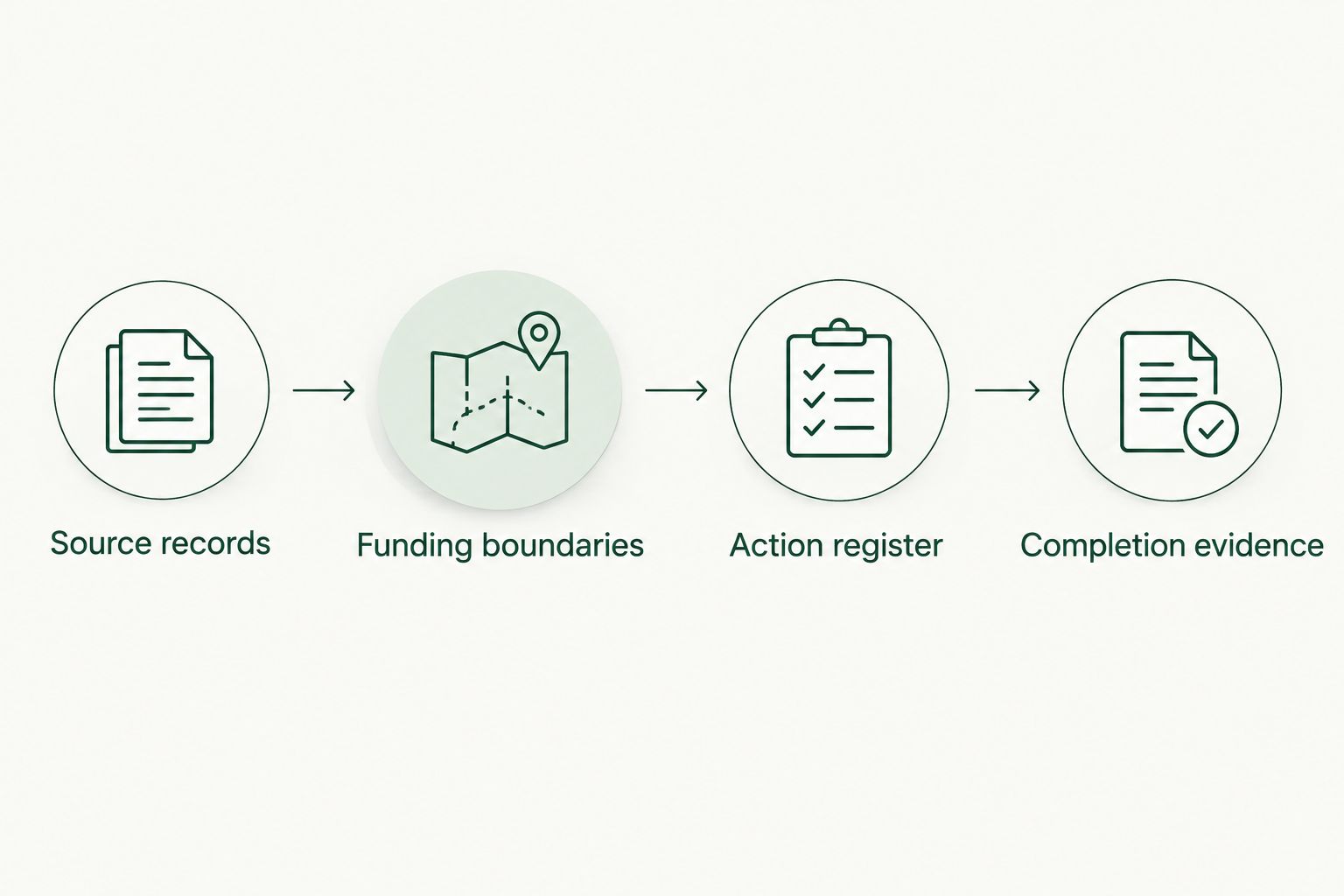
A retirement contribution, a household reserve transfer, and a succession-planning assignment need different completion records. Define the evidence before starting: an account confirmation, a reconciled balance, or a professional's completed deliverable, as appropriate.
Funding authorization and reconciliation
Confirm execution outside the organizer
- Verify instructions independently. Confirm account ownership, destination details, and required authorization with the account provider through an established channel. Do not act on changed payment instructions solely because they arrived by email. Follow the provider's verification procedures.
- Authorize only the approved action. Complete the provider's required process after the funding decision is settled. Where retirement-plan rules, entity restrictions, or tax treatment matter, obtain the relevant professional confirmation before execution. The organizer is not a substitute for that review.
- Reconcile the completed action. Compare the confirmation with the source and destination records. Check the account, amount, classification, and date. Update the action register only after the evidence supports completion; a submitted request is not the same as a completed transfer.
Expected result: you can show what was authorized, what occurred, and what remains unfinished. Your records distinguish a proposed allocation from money actually placed in its intended account.
For the 2026 implementation record, keep request dates and completion dates separate. If a transfer is rejected or returned, preserve that history instead of marking the original task complete.
VIMSmallBusiness financial planning covers the advisory side of this workflow. Confirm your engagement's responsibilities rather than assuming the advisor, CPA, payroll provider, and account custodian all handle the same tasks.
Update the workflow when your finances change
A second workflow starts with an event rather than initial intake. A material distribution, new debt, ownership change, household change, or transition discussion can make an earlier funding decision outdated.
Use a 90-day review interval as an optional calendar reminder, alongside event-driven updates. This is an organizational suggestion, not a claim about how frequently a particular firm updates PreciseFP or a requirement for every owner.
- Identify the changed facts. Update affected balances, obligations, ownership details, and source dates through the process agreed with your advisor. Preserve the distinction between a changed estimate and a confirmed transaction.
- Recheck the affected assumptions. Determine whether cash available, tax reserves, household needs, or the intended funding source changed. Reopen dependent tasks before authorizing additional money movements.
- Replace the action, not the history. Record the revised decision and retain evidence of earlier completed actions. A new questionnaire answer does not reverse a transaction already made.
Succession changes need a wider review than an updated business value. Ownership, signing authority, beneficiary designations, and intended recipients require separate attention. Reviewing estate planning documents means checking which legal instructions exist and asking your attorney whether those instructions match your current wishes; an organizer entry does not amend a will, trust, or account designation.
Expected result: the financial plan reflects the changed facts without pretending that a data update automatically changes legal documents or account instructions.
Troubleshooting
Your organizer totals disagree with statements
Check statement dates, ownership, missing liabilities, and duplicate accounts first. An old retirement account and its rollover destination can both appear in your records even though the same assets moved between them. Resolve the overlap before using the total for a funding decision.
The business looks profitable, but cash is tight
Review payment timing, receivables, debt principal, distributions, and committed expenses. Profit and spendable cash answer different questions. Rebuild the cash forecast before reducing reserves or authorizing a new recurring transfer.
Your advisor and CPA use different income figures
Identify what each figure represents: business revenue, taxable income, payroll compensation, distributions, or household cash received. Bring both professionals the same dated records. The CPA and financial-advisor coordination guide addresses the division of responsibilities; coordination does not mean the advisory firm prepares tax returns.
An action is marked complete, but money has not arrived
Reopen the task and obtain the account provider's status or transaction reference. Check whether the request was merely submitted, rejected, returned, or completed to another destination. Never issue a replacement transfer until you establish what happened to the original.
Access instructions fail or a document route is unclear
Contact your advisor through an established phone number or email thread and request current access instructions. Do not solve an access problem by forwarding sensitive records to an unfamiliar address. Confirm the approved delivery method first.
Customize your workflow
Choose one main decision for the first review: household cash stability, retirement funding, treasury boundaries, or succession preparation. Use the same action register for supporting tasks, but keep distinct authorizations for distinct accounts and entities.
For a 2026 year-end review, put unresolved tax questions and provider requirements on the calendar before choosing funding dates. Confirm applicable deadlines with the responsible professional; do not infer a deadline from this article or assume every account follows the same rules.
VIMSmallBusiness treasury management and financial planning services address the relationship between business liquidity and personal goals. The benefit is a coordinated advisory scope; the boundary is equally important: the firm does not prepare tax returns, and legal work belongs with your attorney.
FAQ
What is a PreciseFP financial planning organizer used for?
A PreciseFP financial planning organizer gathers information for the financial planning process. Use source records and identify estimates so your advisor can review the information before making recommendations.
Does completing PreciseFP automatically fund my financial plan?
No. Funding requires a separate decision, your authorization, and the account provider's implementation process. Confirm completion against account records rather than the organizer's completion status.
What should I gather before completing a financial planning organizer?
Gather account statements, debt information, business financial reports, retirement-plan information, insurance summaries, and relevant tax records. Confirm ownership and record the date associated with each balance.
Can I use business cash to fund personal financial goals?
Do not treat business cash as personal funding until ownership, obligations, distribution restrictions, and tax treatment have been reviewed. Your advisor, CPA, and attorney should address the issues within their respective roles.
How often should I update my financial planning organizer?
Update affected information when material financial or ownership facts change, using the process agreed with your advisor. A recurring reminder can support that process but does not replace event-driven review.
Do I need to share bank passwords with my advisor?
Do not email passwords or authentication codes to your advisor. Follow the verified access or document-delivery instructions supplied for your engagement and confirm unfamiliar requests independently.
Does VIMSmallBusiness prepare tax returns as part of financial planning?
VIMSmallBusiness does not prepare tax returns. Financial planning can involve coordination with your CPA or tax preparer, but the responsibilities remain separate.
One last thing
An intentionally paused transfer can be the correct outcome. If the source of cash, ownership, or tax treatment remains unresolved, mark the action blocked and name the person responsible for resolving it. A completed organizer is useful; a false completion record is not.